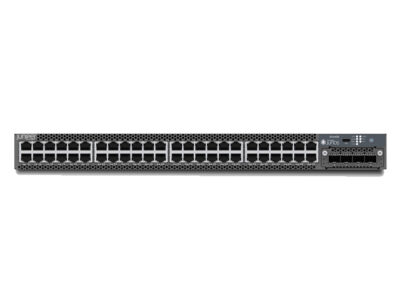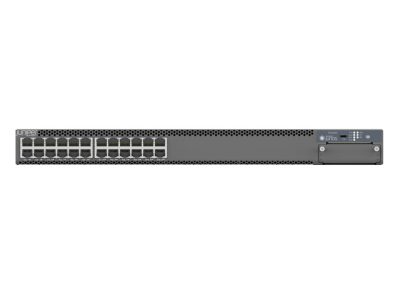
EX4400-48F-DC-AFI Juniper EX4400 Series Ethernet Switch with 48 Non-PoE Ports

–Actual product may vary from the images–
- All products are sourced from authorized distributors, global surplus channels and enterprise decommissioning programs.
- Free US Ground Shipping except Hawaii and Alaska
Some items may show vendor’s stock. Please confirm lead times before ordering.
Availability: 8 in stock
- Visa
- Master Card
- AMEX
- Discover
- Stripe
- Wire Transfer for International Orders
For bulk orders email us at sales@d-ziner.com or call us at 833-375-8324.
Warranty & support: Varies by product — extended warranties available through manufacturer. All hardware inspected and verified before shipment.
- International Buyer Discounts Available
- Express Delivery in USA only on in stock items - 1 to 3 Business Days
- International Shipping on buyer's account
- International Shipping takes 7-10 Days
Product Details
EX4400-48F-DC-AFI Juniper EX4400 Series Ethernet Switch with 48 Non-PoE Ports: Unveiling the Power of Connectivity
Introduction
In the ever-evolving world of networking, having the right equipment can make all the difference. One such standout device is the EX4400-48F-DC-AFI Juniper EX4400 Series Ethernet Switch with 48 Non-PoE Ports. In this comprehensive guide, we’ll delve into the world of this cutting-edge network switch. From its features to its applications, you’ll gain a thorough understanding of how this device can revolutionize your network infrastructure.EX4400-48F-DC-AFI Specifications
| Manageable | Yes |
| Layer Supported | 3 |
| Power Source | DC |
| Number of Power Supplies Supported | 2 |
| Redundant Power Supply Supported | Yes |
| Weight (Approximate) | 13.01 lb |
| Form Factor | Rack-mountable |
| Height | 0.7″ |
| Width | 6.8″ |
| Depth | 6.2″ |
| Compatible Rack Unit | 1U |
| Expansion Slot Type | SFP28 |
| SFP+ | |
| SFP (mini-GBIC) | |
| Stacking Module | |
| Number of Total Expansion Slots | 54 |
| Number of SFP Slots | 36 |
| Number of SFP+ Slots | 12 |
| Modular | Yes |
| Uplink Port | Yes |
| Stack Port | Yes |
| Port/Expansion Slot Details | 4 x 25 Gigabit Ethernet Expansion Slot |
| 2 x 100 Gigabit Ethernet Stack | |
| 12 x 10 Gigabit Ethernet Expansion Slot | |
| 36 x Gigabit Ethernet Expansion Slot |
| Product Type | Ethernet Switch |
| Manufacturer Part Number | EX4400-48F-DC-AFI |
| Manufacturer Website Address | http://www.juniper.net |
| Manufacturer | Juniper Networks, Inc |
| Product Model | EX4400-48F-DC-AFI |
| Product Name | EX4400-48F-DC-AFI Ethernet Switch |
| Product Series | EX4400 |
| Brand Name | Juniper |
| Network Technology | 25GBase-X |
| 10GBase-X | |
| 100GBase-X | |
| 100/1000Base-X | |
| Ethernet Technology | 25 Gigabit Ethernet |
| 100 Gigabit Ethernet | |
| 10 Gigabit Ethernet | |
| Gigabit Ethernet | |
| Media Type Supported | Optical Fiber |
| Twisted Pair |
1. Understanding the EX4400-48F-DC-AFI Juniper EX4400 Series Ethernet Switch
The Core Features that Define ExcellenceThe EX4400-48F-DC-AFI Juniper EX4400 Series Ethernet Switch is a powerhouse in the world of networking. Let’s take a closer look at what sets it apart:- Robust Build: Crafted with durability in mind, this switch is built to withstand the test of time.
- High-Speed Connectivity: With 48 Non-PoE ports, this device offers lightning-fast data transfer speeds.
- Advanced Security: Your network’s safety is a top priority with the EX4400-48F-DC-AFI Juniper EX4400 Series Ethernet Switch.
- Easy Management: User-friendly interfaces ensure hassle-free operation.
2. Applications of the EX4400-48F-DC-AFI Juniper EX4400 Series Ethernet Switch
Where Excellence Meets FunctionalityThe versatility of this Ethernet switch knows no bounds:- Enterprise Networks: Seamlessly integrate the EX4400-48F-DC-AFI Juniper EX4400 Series Ethernet Switch into your corporate network for enhanced productivity.
- Data Centers: Experience unparalleled data handling capabilities in your data center.
- Educational Institutions: Keep your students connected with a reliable network infrastructure.
- Small to Medium Businesses: Scale your network operations effortlessly.
3. Setting Up the EX4400-48F-DC-AFI Juniper EX4400 Series Ethernet Switch
A Step-by-Step GuideLet’s dive into the nitty-gritty of installation:- Unboxing: Carefully unpack your EX4400-48F-DC-AFI Juniper EX4400 Series Ethernet Switch and inspect it for any shipping damage.
- Hardware Installation: Connect the switch to your network devices using the provided cables.
- Powering Up: Plug in the power source and turn on the switch.
- Configuration: Access the switch’s management interface and follow the on-screen instructions to configure it to your network requirements.
4. FAQs about the EX4400-48F-DC-AFI Juniper EX4400 Series Ethernet Switch
Q: What makes the EX4400-48F-DC-AFI Juniper EX4400 Series Ethernet Switch stand out in the market?A: The switch’s combination of high-speed connectivity, advanced security features, and robust build quality sets it apart from the competition.Q: Can I use this switch in a small office setting?A: Absolutely! The EX4400-48F-DC-AFI Juniper EX4400 Series Ethernet Switch is versatile enough to be used in small to medium-sized businesses.Q: Is it easy to manage the switch even for those with limited networking knowledge?A: Yes, the user-friendly interface ensures that even beginners can manage the switch with ease.Q: Does the switch come with a warranty?A: Yes, it typically comes with a manufacturer’s warranty, providing you with peace of mind.Q: What is the power consumption of the EX4400-48F-DC-AFI Juniper EX4400 Series Ethernet Switch?A: The power consumption varies depending on the load, but it’s designed to be energy-efficient.Q: Can I expand the number of ports if needed?A: While the EX4400-48F-DC-AFI Juniper EX4400 Series Ethernet Switch has 48 Non-PoE ports, you can typically expand your network by connecting additional switches.Conclusion
Unlocking the Potential of Your Network with the EX4400-48F-DC-AFI Juniper EX4400 Series Ethernet SwitchIn conclusion, the EX4400-48F-DC-AFI Juniper EX4400 Series Ethernet Switch with 48 Non-PoE Ports is a game-changer in the world of networking. Its exceptional features, ease of use, and wide range of applications make it a must-have for businesses and organizations looking to supercharge their network infrastructure. Whether you’re setting up a new network or upgrading an existing one, this Ethernet switch is your gateway to excellence.Smart LinksFree Ground Shipping in USA: get within 3-5 Business Days. Express delivery (in stock) 1-3 Business Days.
Global Shipping: on buyer’s shipping account or we can provide a quote. All international duties/customs are buyer’s responsibility.
Returns: Please contact support within 14 days of delivery for defective or incorrect items. All returned hardware must be in original condition.See our Refund Policy.
Warranty: Varies by product – contact us for specific unit warranty certificate.
✓ 100% hardware inspection & verification before shipment.
✓ Sourcing from authorized distributors, global surplus channels and enterprise decommissioning programs – fully tested & authenticated.
✓ Transparent global shipping: buyer’s shipping account or we arrange via FedEx/UPS.
✓ International payments accepted only via wire transfer; domestic orders via Stripe (Visa, MC, Amex).
- The warranty for refurbished units is 30 days.
- The warranty for New units is as per the manufacturer’s terms and conditions.
| Weight | 15 lbs |
|---|---|
| Dimensions | 18 × 17 × 2 in |
| SKU | EX4400-48F-DC-AFI |
| Condition | New |
| Brand | Juniper |
| GTIN | Not Available |