Cisco IE-4000 Replacement: IE-3300 and IE-3400 Series Explained
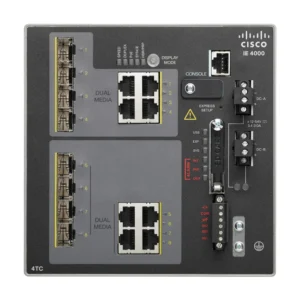
The Cisco Industrial Ethernet 4000 Series (IE-4000) has been a widely deployed platform for industrial networking applications, including manufacturing, transportation, utilities, energy, and other operational technology environments. However, the IE-4000 family has reached its end-of-sale/end-of-life stage, and organizations that still operate these switches increasingly need to identify suitable replacement hardware.
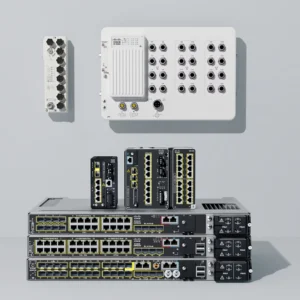
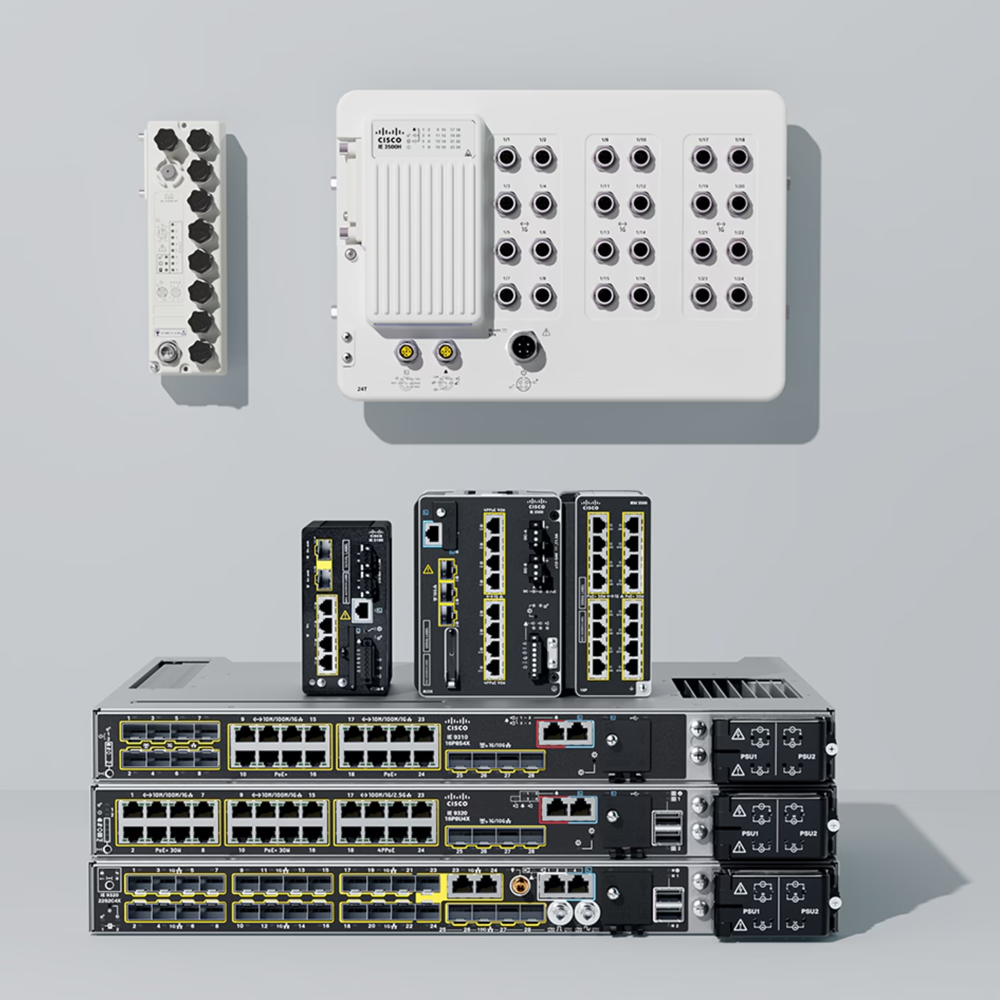
Cisco’s official replacement path points primarily toward two new CISCO IE series:
These newer platforms provide Gigabit Ethernet connectivity, industrial features, modular expansion capabilities, and modern Cisco IOS XE software capabilities.
One important point, however, should not be overlooked: the IE3300 and IE3400 are not simple one-for-one physical replacements for every IE-4000 model. Cisco’s own EOL documentation identifies the replacement products, but the number and type of ports can be different.
A proper replacement therefore requires checking the original IE-4000’s port configuration, PoE requirements, uplinks, environmental requirements, and software features.
Cisco IE-4000 Series End of Life
Cisco has formally announced the end-of-sale and end-of-life status of the Industrial Ethernet 4000 Series. Cisco’s replacement table identifies the Catalyst IE3300 and IE3400 families as the replacement platforms for the affected IE-4000 hardware.
The replacement architecture is relatively straightforward:
- Cisco Catalyst IE3300 — generally the Network Essentials-oriented replacement platform.
- Cisco Catalyst IE3400 — a more advanced platform with Network Essentials and Network Advantage options.
- IE3300 and IE3400 base switches can also use expansion modules, allowing the port count and configuration to be expanded beyond the standard base switch.
For example, the IE-3300-8T2S-E provides 8 Gigabit Ethernet copper ports plus 2 Gigabit SFP ports. Cisco also offers expansion modules including 8-port copper, 8-port SFP, and 16-port copper modules.
The IE3400 similarly offers the IE-3400-8T2S-E, with 8 Gigabit Ethernet copper ports and 2 Gigabit SFP ports, while supporting the IE3300 family of expansion modules.
Official IE-4000 Replacement Part Numbers
The following table is based on Cisco’s official IE-4000 end-of-sale/end-of-life replacement documentation.
| IE-4000 Part Number | Original Configuration | Cisco IE3300 Replacement | Cisco IE3400 Replacement |
|---|---|---|---|
| IE-4000-8GT8GP4G-E | 8 GE copper + 8 GE PoE+ + 4 GE combo uplinks | IE-3300-8P2S-E | IE-3400-8P2S-E |
| IE-4000-4GS8GP4G-E | 4 GE SFP + 8 GE PoE+ + 4 GE combo uplinks | IE-3300-8P2S-E | IE-3400-8P2S-E |
| IE-4000-8GT4G-E | 8 GE copper + 4 GE combo uplinks | IE-3300-8T2S-E | IE-3400-8T2S-E |
| IE-4000-4GC4GP4G-E | 4 GE combo + 4 GE PoE+ + 4 GE combo uplinks | IE-3300-8P2S-E | IE-3400-8P2S-E |
| IE-4000-16GT4G-E | 16 GE copper + 4 GE combo uplinks | IE-3300-8T2S-E | IE-3400-8T2S-E |
| IE-4000-8T4G-E | 8 FE copper + 4 GE combo uplinks | IE-3300-8T2S-E | IE-3400-8T2S-E |
| IE-4000-4S8P4G-E | 4 FE SFP + 8 FE PoE+ + 4 GE combo uplinks | IE-3300-8P2S-E | IE-3400-8P2S-E |
| IE-4000-4T4P4G-E | 4 FE copper + 4 FE PoE+ + 4 GE combo uplinks | IE-3300-8P2S-E | IE-3400-8P2S-E |
| IE-4000-16T4G-E | 16 FE copper + 4 GE combo uplinks | IE-3300-8T2S-E | IE-3400-8T2S-E |
| IE-4000-4TC4G-E | 4 FE copper combo + 4 GE combo uplinks | IE-3300-8T2S-E | IE-3400-8T2S-E |
| IE-4000-8GS4G-E | 8 GE SFP + 4 GE combo uplinks | IE-3300-8T2S-E | IE-3400-8T2S-E |
| IE-4000-8S4G-E | 8 FE SFP + 4 GE combo uplinks | IE-3300-8T2S-E |
|
Cisco’s documentation specifically lists both IE3300 and IE3400 replacements for these IE-4000 hardware configurations.
How to increase port density
One of the major advantages of the IE3300 and IE3400 platforms is its modular architecture.
Cisco offers a variety of expansion modules for IE3300 and IE3400 series providing the capability to increase port-density. Laid out below are the various models from both series of IE switches:
IE3300 Series Expansion Modules:
- IEM-3300-4MU= – 4 2.5G Copper (4PPoE) ports
- IEM-3300-8T= — 8 GE copper ports
- IEM-3300-16T= — 16 GE copper ports
- IEM-3300-8S= — 8 GE SFP ports
- IEM-3300-6T2S= — 6 GE copper + 2 GE SFP
- IEM-3300-14T2S= — 14 GE copper + 2 GE SFP
- IEM-3300-8P= — 8 GE PoE/PoE+ copper ports
- IEM-3300-16P= — 16 GE PoE/PoE+ copper ports
IE3400 Series Expansion Modules:
- IEM-3400-8T= — 8 GE copper ports
- IEM-3400-8S= — 8 GE SFP ports
- IEM-3400-8P= — 8 GE Copper PoE/PoE+
Cisco’s current IE3300 and IE3400 documentation confirms these expansion options.
This modular design is one reason the IE3300 and IE3400 can be the attractive modernization paths for an IE-4000 installation.
Why the Replacement Is Actually an Upgrade
At first glance, moving from an IE-4000 to an IE3300/IE3400 can appear like a downgrade because many replacement base models have fewer ports. However, the newer platforms bring several important improvements.
Gigabit access ports
A particularly important difference is the move from Fast Ethernet on some IE-4000 models to Gigabit Ethernet on the IE3300/IE3400.
For example:
IE-4000-16T4G-E
→ 16 × Fast Ethernet copper
versus
IE-3300-8T2S-E
→ 8 × Gigabit Ethernet copper + 2 × Gigabit SFP
The newer switch therefore provides significantly greater bandwidth per copper interface.
Modular expansion
The IE3300/IE3400 architecture allows expansion modules to be added to the base system rather than requiring a completely different fixed-port switch for every configuration.
Modern software platform
The IE3300 and IE3400 are part of Cisco’s newer Catalyst industrial switching generation and use Cisco IOS XE-based capabilities. This gives customers a more current platform for network management, security, segmentation, automation, and software lifecycle support.
What Does the "-E" or "-A" Mean?
The suffix is also important when ordering replacement hardware.
For the IE3300 and IE3400:
- -E = Network Essentials
- -A = Network Advantage
Cisco states that Network Advantage includes the Network Essentials feature set.
For example, the IE-3300-8T2S-E is the Network Essentials version. The corresponding Network Advantage model is: IE-3300-8T2S-A. Similarly, the IE-3400-8T2S-E is Network Essentials and the corresponding Network Advantage model is: IE-3400-8T2S-A.
This is important when preparing an RFQ or replacement quotation because simply providing the correct hardware chassis may not reproduce the feature set of the customer’s existing installation.
Recommended Replacement Strategy
Step 1
Identify the exact IE-4000 part number
Do not start by selecting the new switch. First identify the exact existing part number, such as, IE-4000-16T4G-E or IE-4000-8GT8GP4G-E.
Step 2
Document the existing ports
- Number of copper ports
- Fast Ethernet vs. Gigabit Ethernet
- Number of SFP ports
- Number of PoE ports
- PoE power requirements
- Existing uplink configuration
- Fiber type
- SFP models
- Number of currently occupied ports
Step 3
Determine the Cisco-designated replacement
Use Cisco’s official replacement mapping.
For example:
IE-4000-16T4G-E → IE-3300-8T2S-E or → IE-3400-8T2S-E.
Step 4
Determine whether expansion is imperative
If the customer needs more ports, than the base IE3300/IE3400 configuration may need an expansion module. Determine which one suits best and them go ahead.
Step 5
Check the software feature requirement
Determine whether Network Essentials is sufficient or whether Network Advantage is required.
This determines whether the customer needs an -E or -A configuration.
Step 6
Check the physical installation
- DIN rail requirements
- Power supply
- Terminal blocks
- Existing cabinet dimensions
- Environmental temperature
- Fiber/SFP requirements
- Existing cabling
- Industrial certifications
- Alarm connections
- Redundancy requirements
Quick IE-4000 Replacement Reference
For sales and procurement teams, the most important part numbers can be summarized as follows:
| Existing IE-4000 | Recommended Cisco Replacement |
| IE-4000-16T4G-E | IE-3300-8T2S-E / IE-3400-8T2S-E |
| IE-4000-16GT4G-E | IE-3300-8T2S-E / IE-3400-8T2S-E |
| IE-4000-8GT4G-E | IE-3300-8T2S-E / IE-3400-8T2S-E |
| IE-4000-8T4G-E | IE-3300-8T2S-E / IE-3400-8T2S-E |
| IE-4000-4TC4G-E | IE-3300-8T2S-E / IE-3400-8T2S-E |
| IE-4000-8GS4G-E | IE-3300-8T2S-E / IE-3400-8T2S-E |
| IE-4000-8S4G-E | IE-3300-8T2S-E / IE-3400-8T2S-E |
| IE-4000-8GT8GP4G-E | IE-3300-8P2S-E / IE-3400-8P2S-E |
| IE-4000-4GS8GP4G-E | IE-3300-8P2S-E / IE-3400-8P2S-E |
| IE-4000-4GC4GP4G-E | IE-3300-8P2S-E / IE-3400-8P2S-E |
| IE-4000-4S8P4G-E | IE-3300-8P2S-E / IE-3400-8P2S-E |
| IE-4000-4T4P4G-E | IE-3300-8P2S-E / IE-3400-8P2S-E |
These mappings follow Cisco’s published replacement table.
Useful Links
Cisco Industrial Ethernet 4000 Series datasheet (model tables, features, power tables, compliance).
Cisco IE-4000 Hardware Installation Guide (PoE derating, installation considerations)
Cisco End-of-Sale / End-of-Life announcement for IE-4000 series.
Cisco IE3400 Data Sheet
Cisco IE3300 Data Sheet